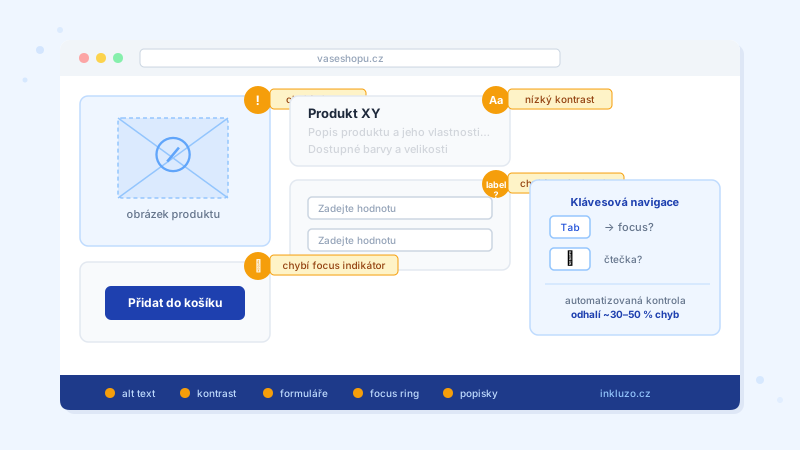
Why automated checks reveal more than you expect
Most e-shop owners assume their website is accessible. The reality is often different. An automated scan typically uncovers dozens to hundreds of findings even on an apparently normal e-shop.
Automation covers approximately 30–50% of WCAG 2.1 AA rules. What are the most common problems?
Missing alt texts
The most widespread finding. Images without a text description (the alt attribute) are completely inaccessible to users with screen readers.
How to fix it:
- Functional images (products, illustrations, logos): a meaningful description of what the image shows or what the button does
- Decorative images (backgrounds, ornaments): empty alt attribute so screen readers skip them correctly
- Images containing text: the text must be present in the alt attribute
Low color contrast
The second most common problem. WCAG 2.1 AA requires a minimum contrast ratio of 4.5:1 for normal text and 3:1 for large text (18pt or 14pt bold). Poor contrast affects people with low vision.
Typical problematic elements: a light 'Add to cart' button on a white background, grey descriptive text, error messages in a pale color, text on image banners.
How to fix it: tools such as Colour Contrast Analyser or an automated scan will instantly show you which areas do not meet the standard.
Inaccessible forms
Forms are a critical point in any e-shop. The most common problems:
- Missing label for a field: an Email field without a programmatically associated label is unrecognisable by a screen reader
- Error messages not announced via ARIA: a user with a screen reader does not see that an error occurred
- Required fields without marking: an asterisk (*) without a text explanation is not sufficient
- Buttons without meaningful text: 'Confirm' is better than just an icon without a description
Keyboard navigation problems
Your national law implementing the EAA requires the entire e-shop to be operable without a mouse. The most common problems:
- Missing visible focus ring: when a user tabs through the page, they must always be able to see where they are
- Keyboard trap: a user gets stuck in a modal window or menu and cannot escape using the keyboard
- Poor focus order: Tab jumps around the page in an unnatural way
Inaccessible interactive elements
Buttons and links must have an accessible name so that assistive technologies announce them correctly. Problematic patterns:
- Button with only an icon and no text or aria-label
- Link saying 'Click here' or 'More' without context
- Interactive div or span without role='button' and keyboard support
How to start fixing issues
Recommended approach:
- Run an automated scan — identify the most impactful problems quickly and for free
- Prioritise by severity: fix critical and serious findings first
- Correct technical errors: alt texts, contrast, and form labels are relatively straightforward fixes
- Commission a manual audit: the remaining rules (readability, screen-reader behaviour) require human judgment
Remember: automated checks detect approximately 30–50% of WCAG rules. Fixing automatically detected errors is a necessary, but not sufficient, step for complying with your national law implementing the EAA.
More guide articles
Frequently asked questions
- How many errors is normal?
- Most e-shops have dozens to hundreds of automatically detectable findings. Severity matters more than the count — fix critical and serious errors first.
- How do I know what to fix first?
- Focus on findings marked as critical and serious — they have the greatest impact on users with disabilities.
- Is fixing automatically detected errors enough?
- No. Automation detects approximately 30–50% of WCAG 2.1 AA rules. For a complete picture — and for complying with your national law implementing the EAA — a manual audit is necessary.
Want to test the accessibility of your website right now?
Run accessibility check